Plan · ready
Business Consultant
An advisor AI Agent works through the business with you: what the work is, which agents it needs, what content it runs on, and what must pass before it goes live.
Platform
One product, start to finish. What you design is what runs, with freedom from AI model lock-in: repoint an agent’s model and keep the program.
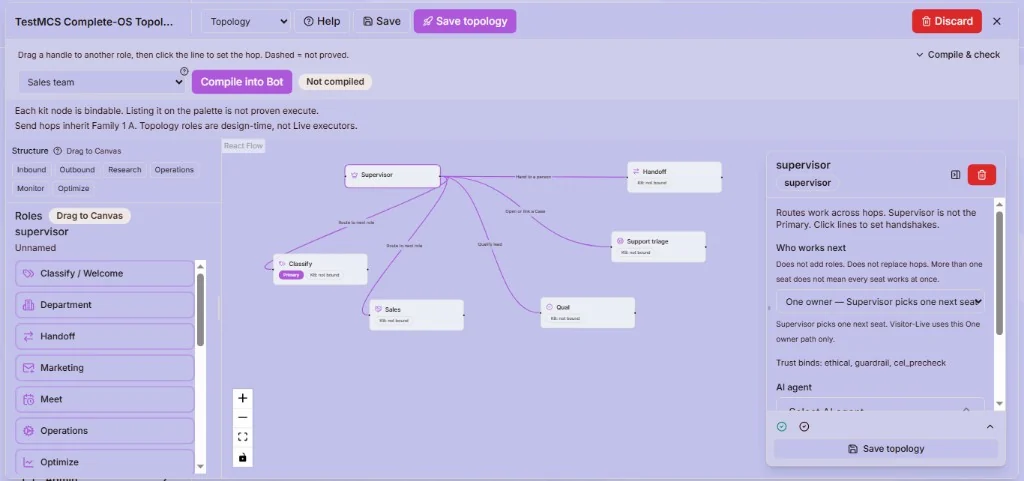
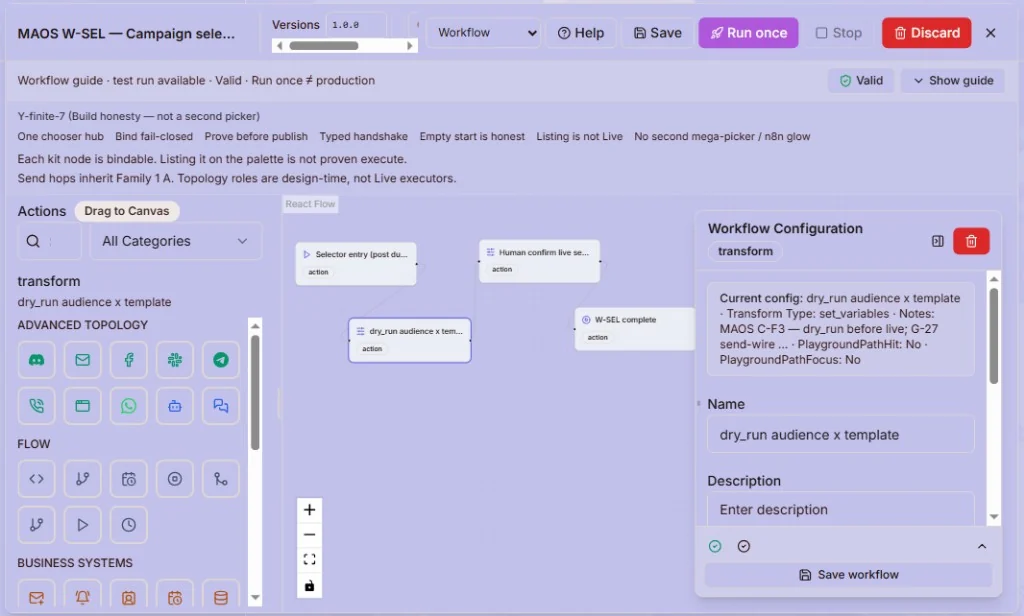
Topology · full canvas
Prove-before-Live
Where the evidence is incomplete, the work does not go live. A tool being listed is not the same as a tool being Live.
One product
Plan · ready
An advisor AI Agent works through the business with you: what the work is, which agents it needs, what content it runs on, and what must pass before it goes live.
Engine room
Canvas, agents, rules, and tools for whoever wires the work. You do not have to live here — but it is there when the program must change.
Run the day
The daily home for the people who run sales, support, and operations — open work, outcomes, escalations, and heat in one place.
Access · keys
Who can design, who can publish, your provider keys, and the regulatory controls you attest to — set per business, in one place.
Business Consultant
Understand
01
What outcome do you want? The advisor works from your business and industry context, not a blank prompt.
02
Which agents, which topology, which prompts and workflows the work needs.
03
The knowledge it answers from — your articles, your uploads, your pages.
Make it real
04
Which platform assets to create, reuse, or extend — and what must be true before it runs.
05
Apply it manually, with guidance, or let the safe parts auto-create.
06
Try the program in an interactive playground, and save test suites you can re-run before it goes live.
Run and learn
07
Live under a run gate, with pause, lifecycle, and suppression.
08
A scorecard against the outcomes you named, not vanity numbers.
09
Typed gaps and proposals you approve — then the loop runs again.
Operate
Work waiting on a person, with the ones ageing called out. Support handoffs land here too.
Leads created and qualified, inbound chats and tickets, the last runs — what happened, not a feeling.
Programs that are not runnable yet, runs that are stuck or failed, and content waiting on your approval.
An owner’s overview sits across all three lanes. Every tile opens the depth that owns it.
Build
Control plane
01
Event, condition, action — versioned, and you can simulate a rule before you publish it. Rules steer workflows; they do not replace them.
02
Replies stay tied to your source material. When one agent hands work to another, both sides agree the format up front — including what happens if the handover fails.
03
Each run gets a budget for how much conversation history it can carry, so a long thread cannot quietly run away with your spend.
04
Each agent answers only from the documents you allow it. When an answer comes back thin, it searches again before replying — strong retrieval, not perfect — and you can see which documents it used. Included with your plan, with limits set by plan.
05
See estimated spend by run and by path. These are figures to steer by, not your invoice.
06
Your policies are checked before anything is sent, saved or charged — not flagged afterwards in a log. They are written as CEL rules, so what is being enforced stays readable.
Live agentic topology
Canvas kit
Build a real team on the Canvas — a supervisor that routes each piece of work to the right specialist, not a flat list of bots working side by side.
Evidence first
Where the evidence is incomplete, the work does not go live — stopping is the default, not proceeding. Rules, quality checks, guardrails and your ethical limits are all checked before anything runs, so nothing goes live on a promise.
Layers by plan
How many layers of agents you can run is published per plan. More layers is not the same as more agents. Where a plan's limit is not published yet, it stays closed rather than guessed.
Channels, tools, MCP
Web, email, WhatsApp and Meta Lead, once you connect them and your plan includes them — channels are not switched on for everyone by default. Portals (India), calendars and commerce connect from the same place. Meta still has to approve a new WhatsApp line, and LinkedIn messaging keeps a person in the loop.
Connect to other platforms through MCP or your own API. Anything that writes data waits for a person to approve it by default.
Add tools and skill packs that have been tested. A tool can be listed in the catalog and still not be usable until the code behind it is proven.
See what ran and why: step-by-step traces, where work is piling up, which rules fired, what the agents retrieved, and which policies applied.
Administer
Who can design, who can publish, and who can only watch — set per business.
Guardrails and ethical limits that you set and own. They apply while the work runs, not in a review afterwards.
Region-specific controls that you attest to, with a record kept of it. We do not certify compliance on your behalf.
Your provider keys, your notifications, and your billing and usage in one place.
Where documents and assets live, and who is allowed to reach them.
Model independence
BYO model
Connect the provider keys your business trusts. Run agents on models you choose.
Managed path
Use included platform tokens when you want a managed path — then repoint when you are ready.
Mahiruho stack
Voice calling is an add-on (mKcalling). Minutes stay outside the plan price.
Implementation
Need help going live? Implementation Support is consulting for your first program — ask us for a quote.